Speed Meets Simplicity in a Browser-Based Mapmaker
Website: https://www.dungeonscrawl.com
Created By: Keir (ProbableTrain)
Best For: GMs, designers, and digital cartographers creating dungeon maps for tabletop RPGs
Introduction
Mapping is one of the core pleasures—and sometimes pains—of running a tabletop RPG. Whether you’re improvising a crypt for your players or laying out a complex megadungeon, the tools you use can either enhance creativity or hinder flow. Enter Dungeon Scrawl, a lightning-fast, browser-based dungeon mapping tool that focuses on speed, accessibility, and a clean hand-drawn aesthetic.
Built with the practical needs of GMs in mind, Dungeon Scrawl is a minimalist powerhouse. It isn’t trying to replace advanced tools like DungeonDraft or Wonderdraft; instead, it carves out a niche as the go-to solution for rapid dungeon creation, especially for those who value ease of use and browser-based flexibility.
What It Is
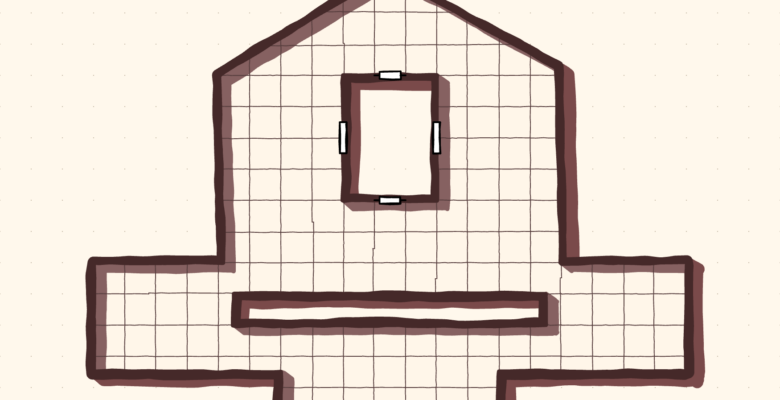
Dungeon Scrawl is a real-time, 2D dungeon map generator that runs entirely in your browser (with downloadable desktop versions available for supporters). It allows you to draw rooms, corridors, and features with pen-like tools, offering multiple export options—including VTT-optimized grid maps.
There’s no login required for casual use, though signing in via Google unlocks saving and cloud storage. The core app is free, with Pro features available via Patreon at modest pricing tiers.
Interface & Workflow
Dungeon Scrawl is sleek and intuitive. Upon visiting the site, you’re immediately placed into the map editor. The left-hand toolbar gives you access to:
- Draw / Erase tools
- Brush size and wall thickness
- Room and corridor drawing tools
- Labels and notes
- Custom themes and grid settings
The right-hand side manages layers, styles, and export settings. Everything is designed to minimize clicks and maximize creative flow. There’s even keyboard shortcut support for power users.
Unlike software that demands an hour of setup or tutorials, Dungeon Scrawl is usable within minutes, making it ideal for busy GMs or quick battlemap generation before a session.
Features & Functionality
🧱 Drawing Tools
Dungeon Scrawl lets you sketch out dungeons like a digital whiteboard—but with structure. You can:
- Freehand draw rooms and corridors
- Use snapping and symmetry for precision
- Add doors, stairs, secret passages, and walls
- Customize grid scale, wall style, and line types
Each stroke is editable via the object list or layers, and the brush tool can mimic pen, pencil, or architectural lines.
🎨 Themes & Styles
Dungeon Scrawl supports multiple visual styles, including:
- Classic Blueprint
- Hand-Drawn Pencil
- Ink & Paper (with texture overlays)
- Modern / clean minimalism
These themes help maps suit different game types—whether gritty OSR, classic fantasy, or sci-fi modules. You can even create custom themes using JSON-based style editing.
🗺️ Labels & Annotation
You can place room numbers, notes, symbols, and callouts, perfect for GMs who plan keyed dungeons. Text options include font selection, color, and size, with alignment controls for map clarity.
📤 Export & Integration
Dungeon Scrawl shines when it comes to output:
- Export to PNG, JPEG, or SVG
- Export gridded or gridless
- Supports UVTT (Universal VTT format) for Foundry VTT, Roll20, Fantasy Grounds, etc.
- Export layered PSD files for post-processing in Photoshop or GIMP
This versatility makes it an excellent choice for both digital games and printable handouts.
Advanced Features (Pro Users)
Subscribing to the Pro plan unlocks features like:
- Undo history and autosave
- Custom tokens, brushes, and themes
- Cloud saving and map organization
- Offline desktop version (Windows/Mac/Linux)
The Pro version is reasonably priced (~$5–10/month) and supports ongoing development. For regular users or publishers, the Pro tier adds serious workflow advantages.
Ideal Use Cases
Dungeon Scrawl is particularly effective for:
- Fast battlemap creation before or during sessions
- Designing dungeons, lairs, ruins, and sewers
- Creating one-page dungeons or old-school modules
- Importing into VTTs with minimal prep
- Printable dungeon maps for home games or zines
It’s less useful for building sprawling cities or complex outdoor landscapes—tools like Wonderdraft or Campaign Cartographer 3 are better for those.
Pros
✅ Blazing-fast browser-based mapping
✅ No installation or steep learning curve
✅ Clean and versatile art styles
✅ Perfect for dungeon, lair, and interior design
✅ Exports well to all major VTT platforms
✅ Free version is highly functional
Cons
⚠️ Limited terrain or outdoor features
⚠️ No integrated asset library or texture packs
⚠️ Requires Pro for advanced exporting and save/load features
⚠️ Style customization may be daunting to non-coders
Final Thoughts
Dungeon Scrawl is a modern GM’s best-kept secret. It strikes a near-perfect balance between simplicity and power, making it ideal for dungeons and battlemap-level content. Its clean interface, rapid workflow, and export flexibility place it among the top tools for GMs and indie creators.
While it doesn’t replace full-featured cartography software for landscape or campaign maps, it fills its niche better than almost any other tool on the market. Whether you’re a weekend GM, a content creator, or a solo RPG enthusiast, Dungeon Scrawl will quickly become a trusted part of your toolkit.